SIM Swap Fraud: How It Works and How to Protect Your Mobile Number
If your phone suddenly loses network for no reason, it might not be a tower problem. How SIM swap fraud lets criminals take over your number, the signs to watch for and how to protect your accounts.
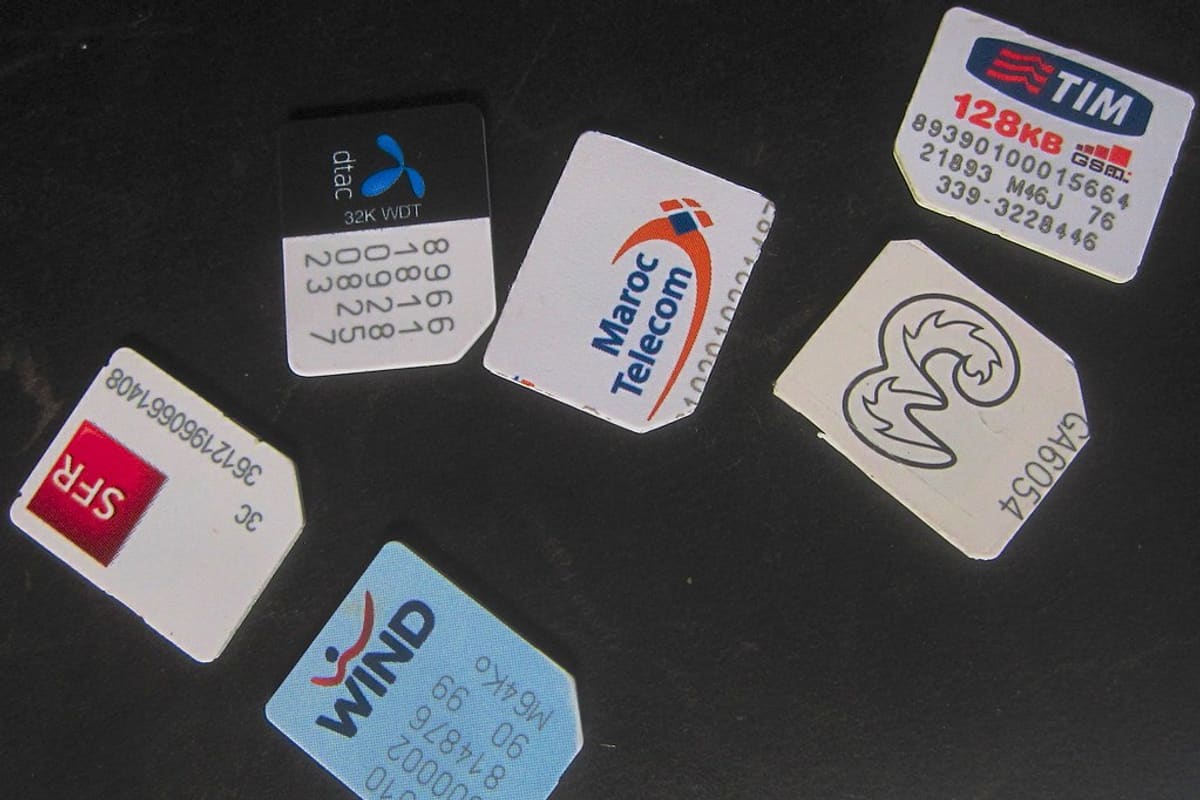
Tasty internet bytes: SIM cards from recent travels. Photo: qcom via Flickr, CC BY-SA 2.0.
Your mobile number has quietly become one of the most valuable things you own. Banks send OTPs to it, UPI apps are tied to it, and most email and social media accounts use it to reset passwords. Whoever controls your number can often control a great deal more.
SIM swap fraud is a way of stealing that control without ever touching your phone.
How the fraud works
A SIM swap, or SIM replacement, is a normal service. If your SIM card is lost, damaged or you move to an eSIM, your telecom operator issues a new one on the same number and the old card stops working. Fraudsters abuse this process.
The usual sequence looks something like this:
- The criminal first collects your personal details, often through a phishing message, a fake call, a leaked database or documents you shared online.
- Using forged or stolen ID, or by fooling a retailer, they request a replacement SIM for your number.
- Once the new SIM is active, your phone loses network. Calls and SMS now go to the fraudster.
- They use OTPs sent to your number to reset passwords, log in to banking and move money.
Sometimes the fraudster calls you first, pretending to be from your telecom company, and asks you to confirm a code or reply to an SMS to "upgrade" your SIM. That code or reply is what approves the swap.
Signs something is wrong
- Your phone suddenly shows no network or "SIM not registered" for a long time, while others around you have signal.
- You receive an SMS saying a SIM change request has been made, which you did not make.
- You get a call urging you to upgrade to 5G or an eSIM and share a code or send a message.
- You stop receiving calls and messages without explanation.
- You notice transaction alerts by email for payments you did not make.
If your network disappears unexpectedly and does not return after restarting the phone, treat it as urgent. Borrow another phone and act at once.
What to do immediately
- Call your telecom operator's official customer care from another number, explain that you suspect an unauthorised SIM swap, and ask them to block the new SIM.
- Call your bank's official helpline and ask them to freeze online transactions or cards until your number is back in your control.
- If money has already been taken, call the National Cyber Crime Helpline on 1930 and file a complaint on cybercrime.gov.in.
- Change the passwords of your email and important accounts from a trusted device, and sign out of all other sessions.
- Visit the operator's store with original ID to get a fresh SIM issued to you.
How to protect your number
Guard your personal details
Fraudsters need information to pass themselves off as you. Avoid posting your phone number, date of birth and address publicly. Do not send photos of your Aadhaar, PAN or other ID to people you do not know, and mask or watermark copies you share with businesses, noting the purpose on them.
Never approve what you did not request
Your telecom company will not call to ask for an OTP or a code to upgrade your SIM. If you want a new SIM or an eSIM, start the process yourself through the official app, website or store.
Set a SIM PIN
Most phones let you lock the SIM card with a PIN, found in the security settings. This does not stop a swap done at the operator's end, but it stops someone who steals your phone from putting your SIM in another handset.
Reduce your dependence on SMS
Where possible, use an authenticator app or a passkey for two-factor login instead of SMS codes. Keep a separate, secure email address for important accounts, and enable email alerts for banking so you still hear about transactions if your SMS stops working.
Check the numbers in your name
The Department of Telecommunications' Sanchar Saathi portal has a facility that lets you see how many mobile connections are registered against your identity and report any you do not recognise. It is a good idea to check this once in a while.
Frequently asked questions
Can someone do a SIM swap without my documents?
It is harder, because operators are required to verify identity before issuing a replacement. But fraudsters use forged copies, stolen details or careless verification, which is why protecting your personal information matters.
Does using an eSIM stop SIM swap fraud?
Not completely. An eSIM can also be moved to a new device through the operator. The same precautions apply: never share codes, and start any SIM or eSIM change yourself through official channels.
Why is SMS sometimes blocked after getting a new SIM?
Telecom operators apply a temporary restriction on SMS for a period after a SIM replacement. This is a safety measure so that OTPs cannot be misused immediately if the swap was fraudulent.
Treat a dead signal as a warning
Most of the time, lost network really is just a tower or a device glitch. But when it happens without explanation, especially after a strange call or SMS, a few quick calls to your operator and bank can be the difference between a scare and a serious loss.